Independent iOS studio

Small, sharp
iPhone apps.

We only build things we open ourselves every day. One keeps track of every pill box in the house. The other finally gets you a watchable shot at a concert. Not many features — but every one of them survives daily use.

2Shipped + in the works
5.0App Store rating
100%Native SwiftUI
YaoliOn the App Store
FansCameraComing soon

Apps

Two apps we keep sharpening

One is already on the App Store, the other is on its way to review. Both started from the same question: why does existing software make such simple things so much work?

Yaoli

Your AI medicine cabinet

On the App Store

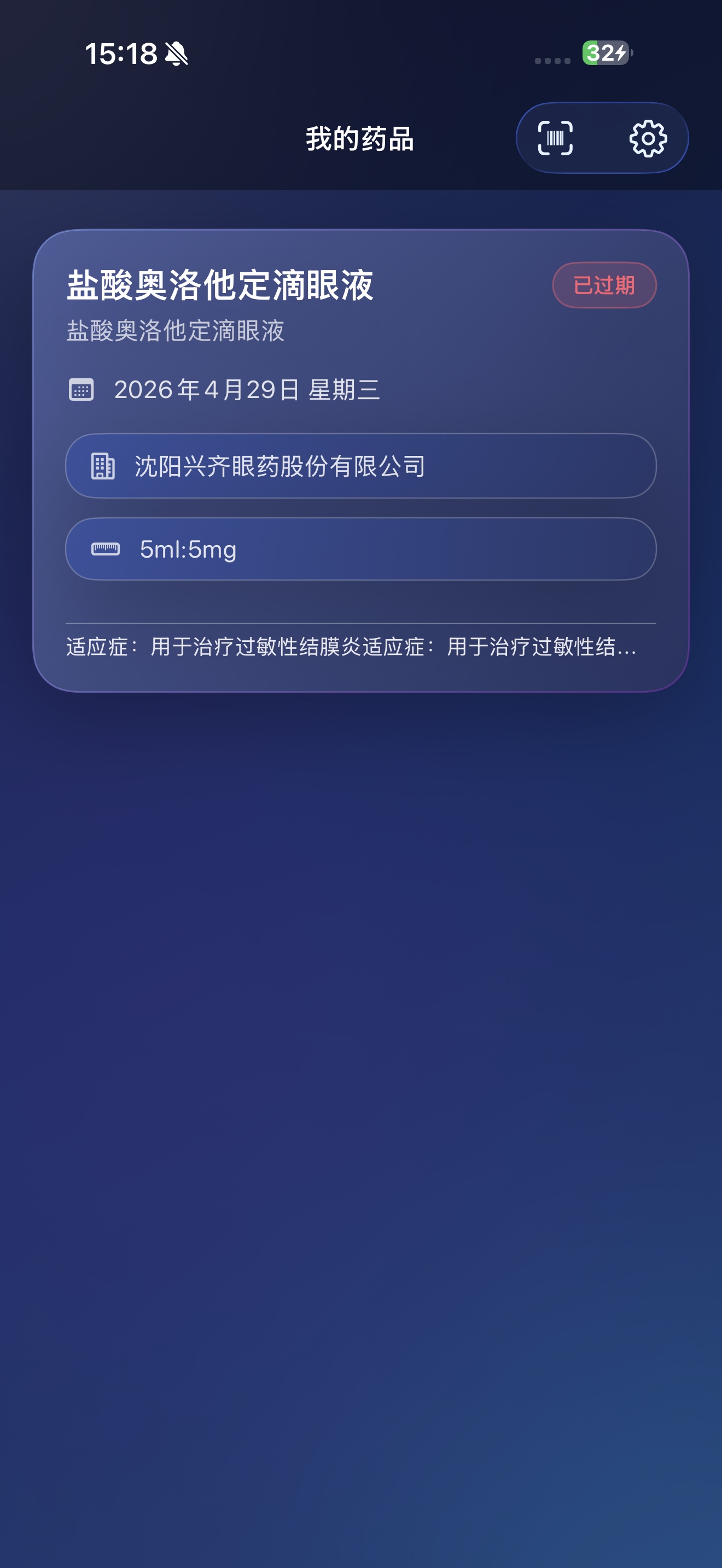
Nobody in the house can say which box in that drawer has gone off. Point the camera at the packaging and Yaoli reads the name, the licence number and the expiry date on its own. From then on it watches the calendar for you — a heads-up 30, 14, 7, 3 or 1 day out, whichever you pick. Handing it to a parent? One switch turns on a large-type mode.

  • AI label scanning
  • Expiry ledger
  • Reminders on your schedule
  • Daily push
  • Large-type mode
  • Expired items flagged red
Yaoli medicine list: cards showing the drug name, expiry date and who it belongs to

FansCamera

Built for live shows

Coming soon

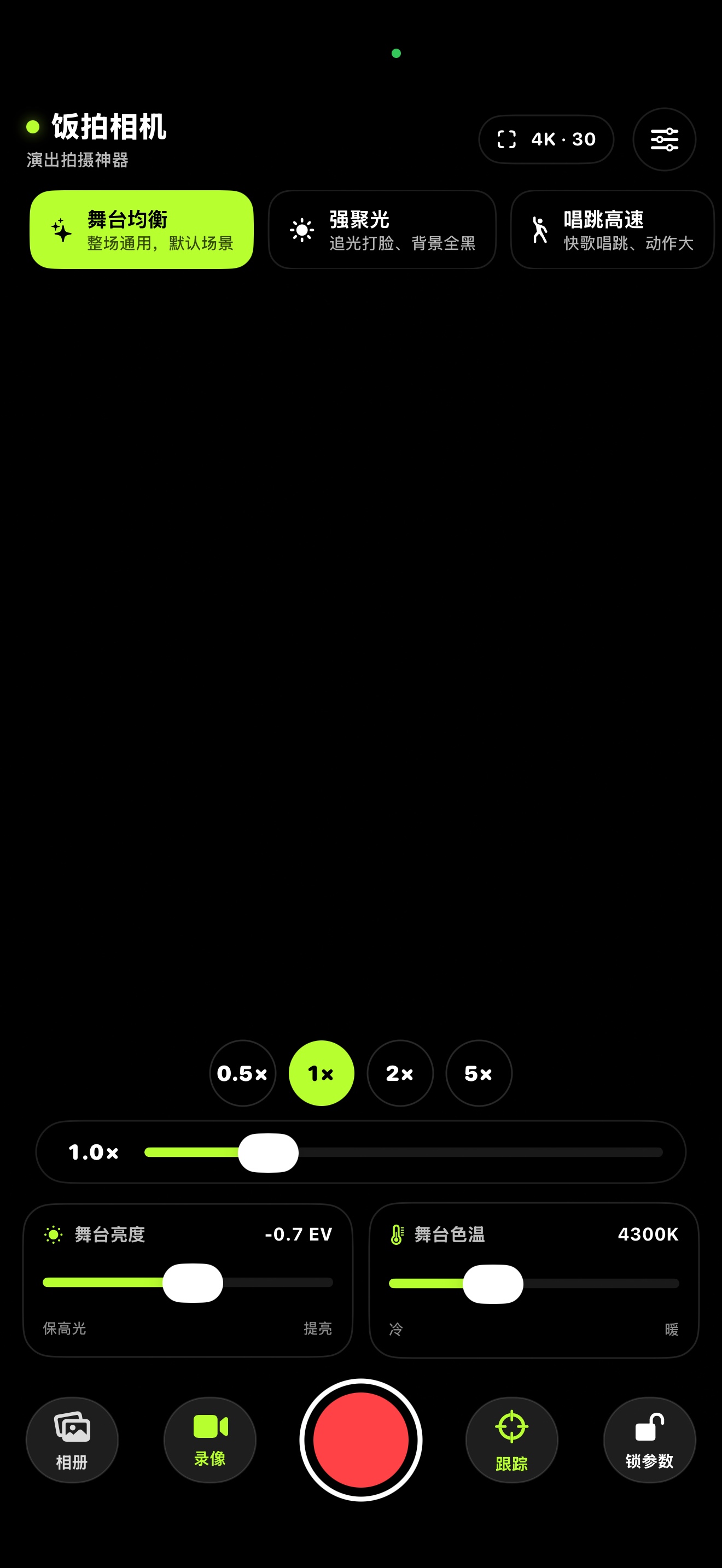
At a concert your phone's auto-exposure spends the whole night fighting the spotlight — blown-out faces, dead black backgrounds, smeared motion on the fast songs. FansCamera takes the handful of settings that actually matter on stage and turns them into four cards you pick by what's happening in front of you.

  • 4K up to 60 fps
  • Jump to native lenses
  • Stage brightness (EV)
  • Stage white balance
  • Subject tracking
  • Lock focus & exposure
  • Custom watermark
FansCamera viewfinder: preset cards along the top, zoom, stage brightness and white balance sliders along the bottom

About the studio

How many features should an app have?

Our answer: build it, live with it for a few months, then delete every feature you never once opened in that time. Whatever survives has earned its place on screen.

It's a slow process and a hard one to explain. But it's what decides whether the app still feels good in year three — not how long the feature list looked on launch day.

panbofeng@hotmail.com

Native, not a wrapper

Written straight against SwiftUI and the system frameworks, moving with each iOS release. Fast to launch, easy on the battery, and it feels like an iPhone app because it is one.

No jargon on screen

The engineering underneath can be as deep as it needs to be. What you read has to make sense at a glance. A setting you don't understand may as well not exist.

Your data stays put

If it can be done on the device, it isn't uploaded. No sign-up, no profiling, no ad or analytics SDKs.